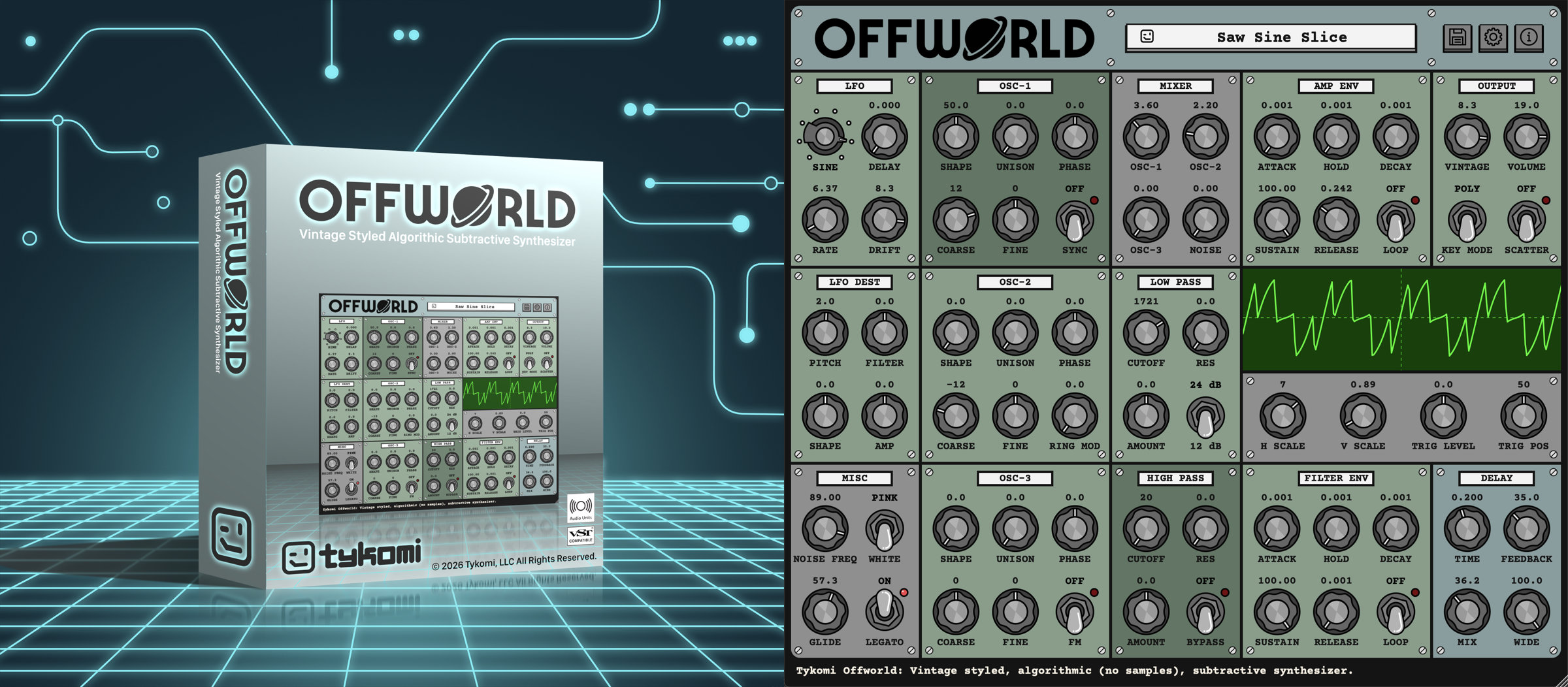
Offworld Audio Plug-in v2.1
Offworld delivers analog warmth, alias free sound, covering the piano's full range. It does this through all new DSP (Digital Signal Processing) algorithms that replicate the analog signal. No off-the-shelf DSP code. It's not "analog modeled" nor "virtual analog". It's not a "sampler". It's something new. Instead of attempting to copy circuits in code, it algorithmically replicates the output of an analog synth. Offworld's noise floor is around -168dB for a 1kHz tone (DAW sample rate of 44.1kHz). That's incredible.
Offworld's output is so clean, there's no need to lather on effects to get a sound that inspires. Add an EQ to define its place in the mix, maybe a bit of reverb and compression. And you're good to go.
Offworld achieves analog sounding greatness. So, get back to what you enjoy, creating music. I know, incredible right? It’s pretty amazing!
You should give Offworld a try.
Download the DEMO. It’s free. I think you’ll agree that Offworld sounds absolutely wonderful.
Vintage styled, algorithmic (no samples), subtractive synthesizer, clean alias-free and ripple-free oscillators, continuously variable wave shapes (sine, triangle, saw, square, pulse), unison (detune ratios from the Roland JP-8000), hard sync, ring modulation, linear FM, adjustable phase, low pass (24db/12db) and high pass (12db) filters, beautiful analog style stereo delay, 16 note polyphonic with true monophonic mode, traditional AHDSR envelopes with looping, and more.
My albums GALACTICAL and ELECTRIC SHEEP (by Danny Bliss), were created entirely with the Offworld Audio Plug-in, including the drums.
Below are some examples of the Offworld audio plug-in. All demos are made with the Offworld plug-in only; no effects, no EQ, no mastering, just the raw output.
Design Inspiration
My favorite goto synth has always been the Minimoog Voyager. It's by far the most inspiring hardware analog synth to my ears. The Yamaha CS-80 and DK Synergy are awesome too. So I set out 13 years ago, not knowing a thing about Digital Signal Processing (DSP), to develop a software plug-in that captures that organic, almost alive sound that Bob Moog created.
Well... it took awhile, but here it is. Offworld now replaces my Minimoog Voyager.
Offworld is not suppose to be a copy of anything. It's the best parts of my favorite synths, put together in a way that inspires me musically. I hope it inspires you too.
Offworld is powerful, but not confusing or overly complicated. With Offworld, you don't have to spend hours trying to create a preset that sounds great. Turn any knob at any time and it will sound delicious. And that's huge!
--Danny Bliss
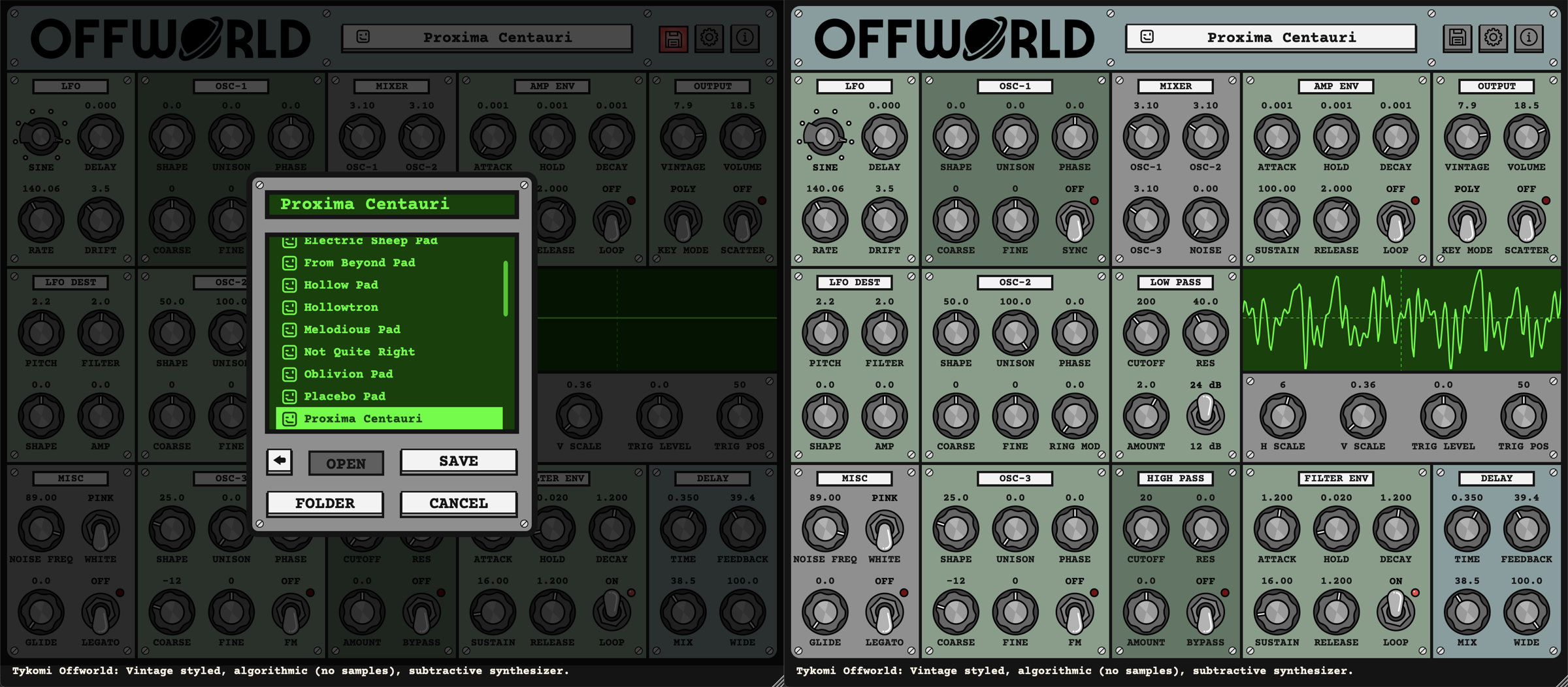
Specifications
Features
- New version 2.1: Redesigned GUI & Major Overhaul
- New company: Tykomi, LLC
- Same Owner & Developer: Danny Bliss
- Fully Digital Signal Path (it's software)
- 3 - Oscillators (continuous: Sine, Triangle, Sawtooth, Square, Pulse)
- Unison (detune ratios from the Roland JP-8000) for each Oscillator
- Phase Adjust for each Oscillator
- Hard Sync
- Ring Modulation
- Linear FM
- Clean Alias Free and Ripple Free Oscillators with Full Piano Range
- -168dB on all waveforms played at 1KHz tone with DAW set at 44.1kHz
- Noise (White/Pink, plus Frequency adjust)
- Glide (Normal, Legato)
- Keyboard Mode (Polyphonic, Monophonic, Legato)
- 2 - AHDSR (Attack, Hold, Decay, Sustain, Release, plus Looping)
- 1 - LFO with BPM sync (Wave, Delay, Rate, Drift)
- Low Pass Filters (Cutoff, Resonance, Amount) (12dB/24dB)
- High Pass Filter (Cutoff, Resonance, Amount) (12dB)
- Analog Style Stereo Delay (Time, Feedback, Mix, Wideness)
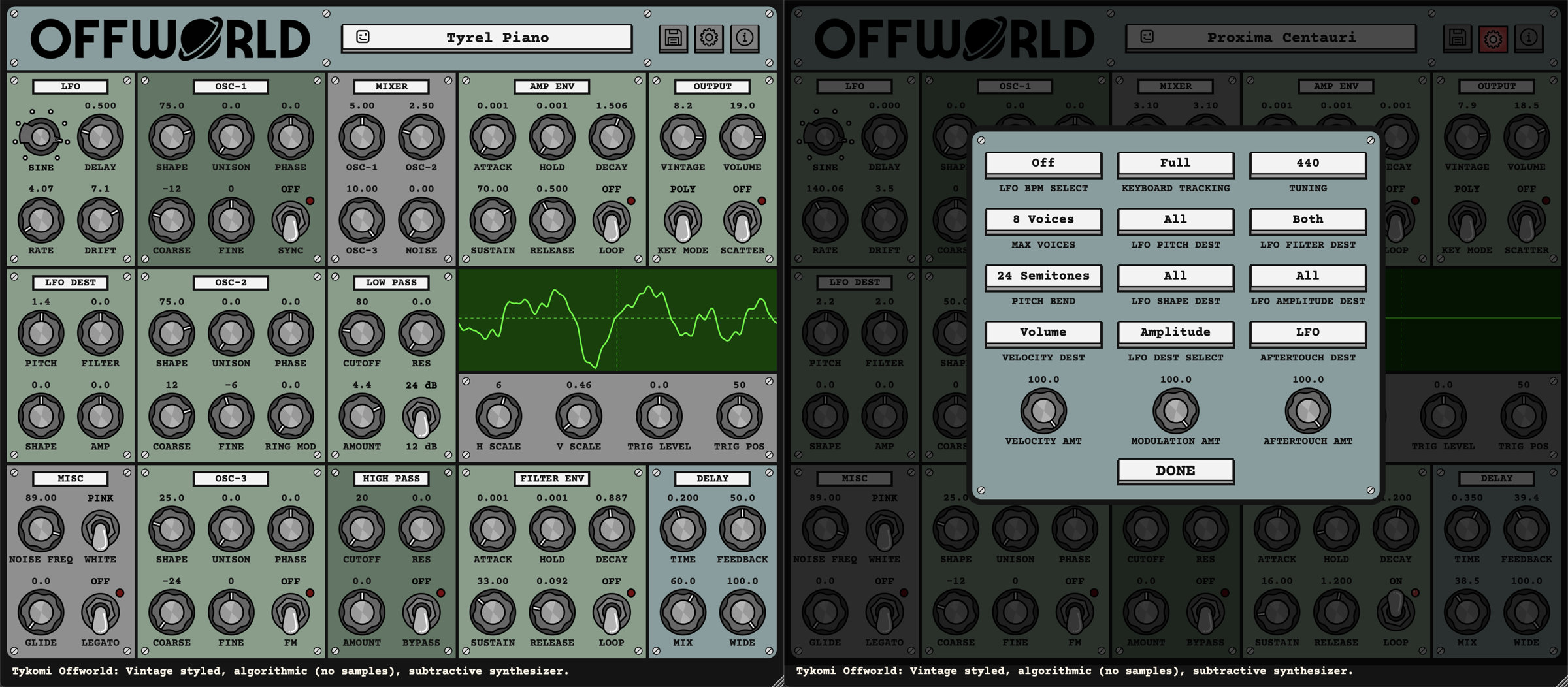
- Tuning (430Hz - 450Hz)
- Click on a number value above a knob to input an exact amount
- Undo/Redo
- Resizable UI
- And Much More!
- macOS 10.13 or newer
- Windows 10 or newer
- Host software / DAW (compatible with most)
- 1GB RAM (more recommended)
- 80MB free disk space
- AUv2, VST3 (64-bit Apple Silicon & Intel)
- code signed binaries
- VST3 (64-bit Intel)
- code signed binaries
- One-Time Purchase, Free Upgrades
Plug-in Support FAQ
Please contact SUPPORT with any questions or concerns.
Are there any music examples done with the Offworld plug-in?
Yes! Check out my albums GALACTICAL and ELECTRIC SHEEP by Danny Bliss, streaming everywhere. All ten songs are entirely the Offworld plug-in, including the drums.
How do I download a plug-in and authorize it with the keycode?
When you purchase a Tykomi plug-in, the email you receive after the purchase includes a link to the ORDERS page. You can login anytime and download the installers and/or your keycode.
I just bought a Tykomi plug-in. Now what do I do?
- Login and navigate to the ORDERS page
- Download the installer for your platform (Mac or Windows)
- Double click the .zip file to unzip it
- MAC ONLY: Double click the .dmg file to mount the drive
- Double click the installer (.pkg on Mac, .exe on Windows)
- Open your DAW (Digital Audio Workstation, i.e. the program that you record with and that hosts the plug-in: Live, Cubase, Logic, etc.)
- Go to the list of available plug-ins in your DAW, select your new Tykomi plug-in, and put it on a channel in your DAW.
- An alert window will pop up, asking you to enter the serial number (keycode). Do this and click “ACTIVATE.”
You should be good to go!
I’m using Ableton Live and undo/redo doesn’t work. What do I do?
Click HERE for more details to fix this issue.
How does Offworld sound compared to XYZ Plug-in?
Download the DEMO and decide for yourself...
What limitations does the Demo plug-in have?
- The audio produces noise every 30 seconds or so
- Presets can not be saved
- Only factory presets can be loaded
Does the Demo version get unlocked when I buy the plug-in?
No. The Demo is a separate plug-in from the Full version. When you purchase a plug-in, the Full version installers and keycode are accessible on your ORDERS page.
Are Tykomi plug-ins compatible with Apple Silicon Macs (M1 - MX)?
Yes. Tykomi plug-ins are universal binaries and run natively on both Apple Silicon (M1, M2, M3, M4, M5, etc..) and Intel based Macs.
What plug-in formats are the Tykomi products offered in?
- VST3 (64bit, Mac and Windows)
- Audio Unit (64bit, Mac only)
32bit is not supported.
What operating systems are supported by Tykomi plug-ins?
Do you support DAW/OS combinations unsupported by the DAW manufacturers?
No.
Do you support Hackintosh?
No.
The Demo has some bugs on my system. Can you fix this?
Please contact SUPPORT with any bugs. Please include type of computer, OS, and a detailed description of the issue. I will definitely look into it.
I own the Full version of the plug-in, and I found a bug!
Please contact SUPPORT with any bugs. Please include type of computer, OS, and a detailed description of the issue. I will definitely look into it.
I’ve tried out the Demo. How do I buy a Tykomi plug-in?
Go to the SHOP page and add it to the cart.
Does Tykomi sell plug-ins through resellers?
No. Tykomi only sells plug-ins through the Tykomi SHOP. Any sales that don’t involve making a Tykomi account for getting the keycode and download are unauthorized sales. I do not provide support to plug-ins purchased through unauthorized 3rd parties.
Can I install a plug-in on more than one computer?
Yes, you can install a plug-in on as many computers as you own and personally use. Tykomi plug-ins do not “phone home” or rely on internet connectivity, and are not locked to a specific machine ID. Just be sure to remove the keycode when you sell that computer. I trust you.
Do I need to uninstall the Demo before installing the Full version?
No. The Full installer will overwrite the Demo plug-in.
How do I unlock the Demo version?
You can’t. The Demo is a separate plug-in from the Full version. When you purchase a plug-in, the Full version installers and keycode are accessible on your ORDERS page.
What is Tykomi's return policy?
Try out the DEMO first. Unfortunately, there are no refunds. There is no way to “unsend” the license keycode.